Your own panel, run by Operio
The same ORCA, on a server Operio runs for you. Your team signs in at orca.operio.work and talks to the agents in a team chat, and Operio keeps it updated, watched and backed up.
Everything in free ORCA, plus
-
Your team, with roles
Admins run the agents. Viewers follow along and comment.
-
Team chat
A thread on every agent and one team room, with unread badges and @mentions that alert your phone.
-
Ask an agent from the chat
Write @agent and the message goes to it as work. Its answer is posted back in the thread.
-
English and Spanish
Any message translated with one tap, in either direction.
-
Model access, set up by Operio
With your own subscription or key. Nothing to configure on your side.
-
Updates, monitoring and backups
Handled by Operio. If something breaks, Operio sees it and fixes it.
Team chat
Your team and your agents in the same place, from the desk and from the phone.
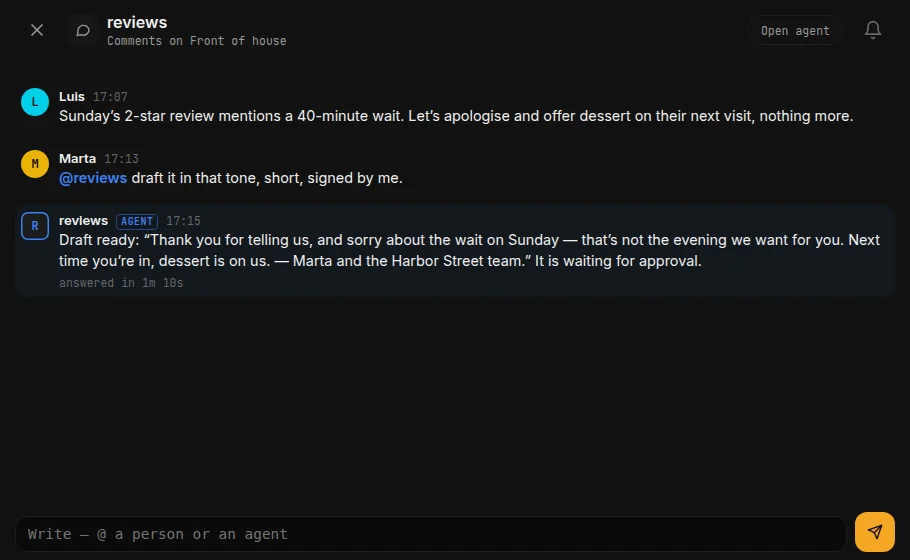
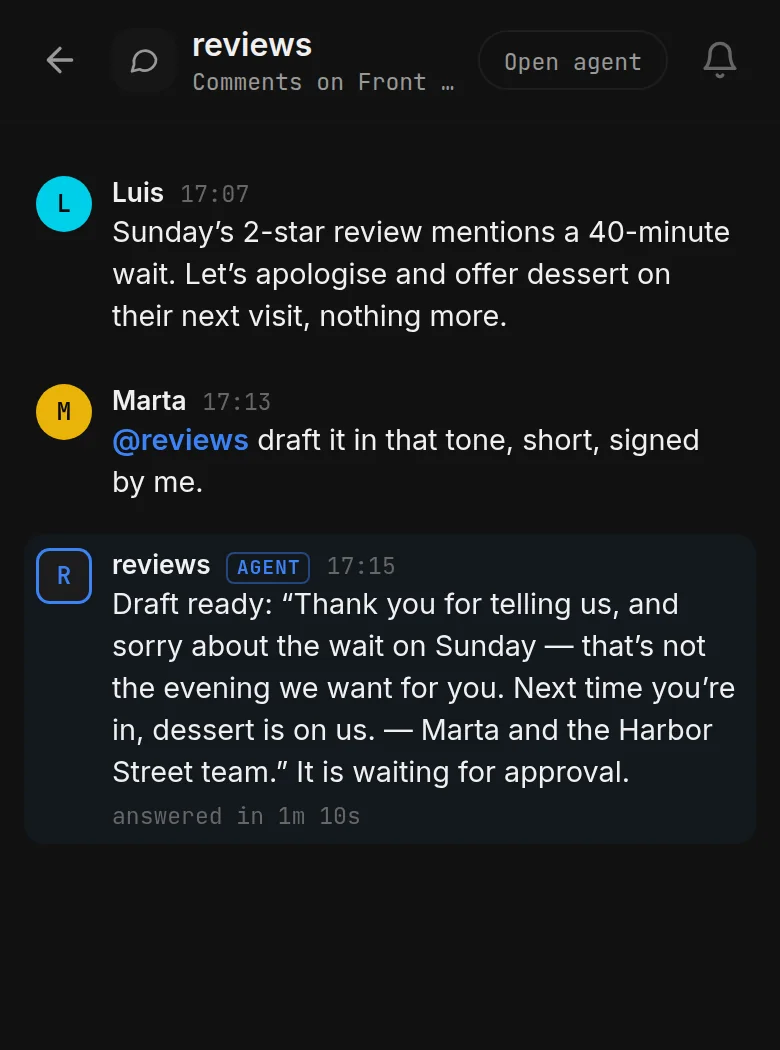
- A thread on every agent and one room for the whole team. Follow the threads you care about and mute the rest.
- @mention someone and their phone gets an alert. Unread badges show what you have not read yet.
- Write @agent and the message goes to that agent as work, with the recent thread for context. Its answer comes back in the thread.
- Messages in English or Spanish, translated with one tap.
- Viewers read and comment, they do not run agents. Operio staff can read your chat only when your admin allows it. You can delete your own message within five minutes.
Free or managed: every difference
| What you get | ORCA | ORCA Managed by Operio |
|---|---|---|
| Where it runs | Your own computer | A server Operio runs for you |
| Who can use it | One person, on one computer | Your team, with roles: admins run the agents, viewers follow and comment |
| Sign-in | None. It listens on localhost only | Your own panel at orca.operio.work, behind a login |
| Team chat | No | A thread on every agent and a team room, with unread badges, @mentions and phone alerts |
| Ask an agent from the chat | No | Yes. @agent sends the message as work and the answer comes back in the thread |
| Translation EN/ES | No | Any message, with one tap |
| Model access | Your own key file, or sign in inside the agent | Set up by Operio, with your subscription or key |
| Routines | 5, free. They write reports or drafts | 23. The managed ones send |
| Sending to customers | Never. You copy, paste and send | Yes, behind the approvals you set |
| Updates | You run operio-orca update | Operio |
| Monitoring | You check the log | Operio is watching |
| Backups | One command, run by you | Operio |
| Support | The GitHub repo | The Operio team |
| Install free | Have Operio run it for you |
How it starts
-
Talk to Operio
Tell us what your agents do and who on your team needs to see them.
-
Operio sets up your panel
Your panel at orca.operio.work, your model access, and the routines you pick.
-
Your team signs in
Admins run the agents, viewers follow along, and the team chat is ready.
Questions
Can Operio read our chat?
Only when your admin turns it on. Until then, Operio staff cannot see your team chat.
Whose model account is used?
Yours: your subscription or your API key, set up by Operio. If you do not have one, Operio arranges one with you.
Can we go back to the free version?
Yes. It is the same ORCA, so your routines and your journal can come with you to your own computer.
Your panel, your team, run by Operio
Tell us about your agents and your team. Operio sets up the rest.